
In order to configure your cPanel email address on Android 7.x.x device, follow these steps:
1. Open Mail app on the main screen of your Android device.
2. Insert the full cPanel email address in Enter email address field and the password to it in Enter password field. Select IMAP or POP3 protocol below and hit Sign in: 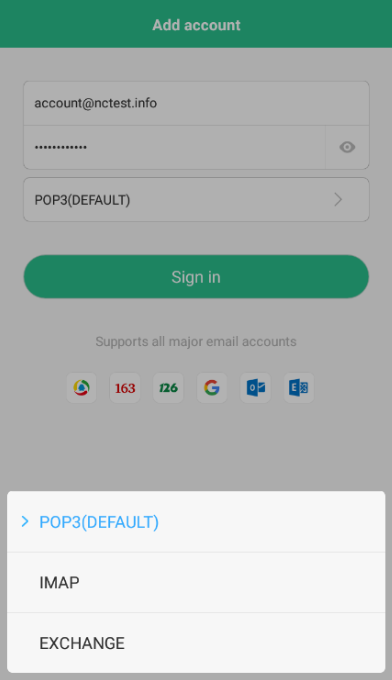
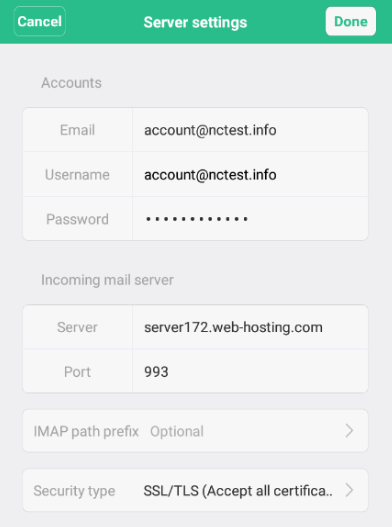
3. In order to set up IMAP email address, use the following settings:
- in the Accounts section:
- Email: full cPanel email address
- Username: full cPanel email address
- Password: to that cPanel email address
- in the Incoming mail server section:
- Server: server your account is hosted on
- Port: 993
- Security type: SSL/TLS (Accept all certificates)
- in the Outgoing mail server section:
- SMTP server: server your account is hosted on.
- Port: 465 or 587
- Security type: SSL/TLS (Accept all certificates)
- SMTP independent verification: should be checked
- Username: full cPanel email address
- Password: to that cPanel email address
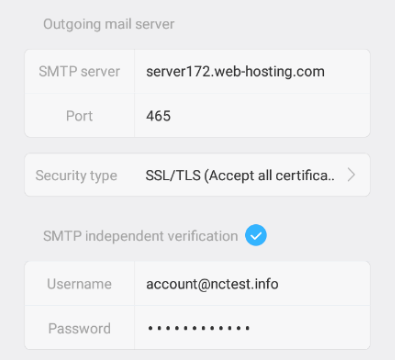
Press on Done in the top-right corner to finish the setup.
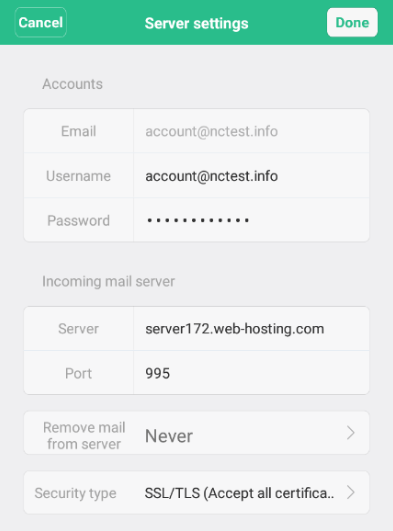
4. In order to set up POP3 email address, use the following settings:
- in the Accounts section:
- Email: full cPanel email address
- Username: full cPanel email address
- Password: to that cPanel email address
- in the Incoming mail server section:
- Server: server your account is hosted on
- Port: 995
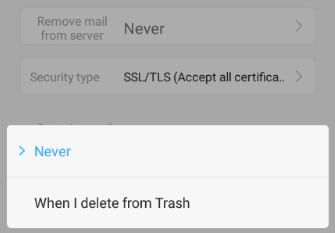
- Remove mail from server: select 'Never' or 'When I delete from Trash'
- Security type: SSL/TLS (Accept all certificates)
- in the Outgoing mail server section:
- SMTP server: server your account is hosted on.
- Port: 465 or 587
- Security type: SSL/TLS (Accept all certificates)
- SMTP independent verification: should be checked
- Username: full cPanel email address
- Password: to that cPanel email address
Press on Done in the top-right corner to finish the setup.
5. If the setup is successful, the following screen shows up: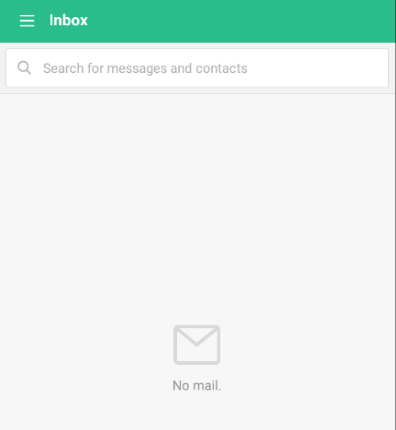
That's it!